

Online sellers across Pakistan are now falling under the same digital invoicing rules that were once associated mainly with retail shops and restaurants. If you run a Shopify store, a WooCommerce-based shop, or sell through Instagram and Daraz, this requirement is no longer something you can wait out. It applies to how you generate, report, and store every sales invoice, regardless of whether your storefront is physical or entirely online. This shift affects pricing tools, order management, and how your business reports revenue to tax authorities in real time, and understanding it early saves sellers from scrambling later.
Table of Contents
What FBR Digital Invoicing Means for Online Sellers
Digital invoicing under FBR requires that every sale generate an electronic invoice that is reported directly to FBR’s system, rather than being recorded manually or stored offline. For online sellers, this means the checkout process itself needs to communicate with FBR’s servers, not just your own bookkeeping software. The invoice generated at the point of sale carries a verifiable digital record, which is what distinguishes it from a standard receipt or order confirmation email.
This requirement isn’t optional for most registered sellers, and understanding why it’s mandatory helps clarify why enforcement has been tightening rather than easing up. A clothing brand selling through a website and a grocery store with a physical counter are technically subject to the same reporting logic, just applied through different front-end systems.
Why E-Commerce Sellers Fall Under FBR’s Digital Invoicing Net
A common misconception is that FBR’s invoicing rules apply only to sellers with a physical storefront. In reality, the requirement is tied to sales volume and business registration status, not the sales channel. This brings in a wide range of online sellers who may not have expected to be included:
- Marketplace sellers on Daraz, Airlift, or similar platforms above certain revenue thresholds
- Independent online stores built on Shopify, WooCommerce, or custom-coded platforms
- Social media sellers who process payments through bank transfers or cash-on-delivery
- Home-based businesses that have scaled past informal sales reporting
- Sellers running multiple storefronts across different platforms simultaneously
Each of these groups needs a way to generate compliant invoices without slowing down checkout or adding manual work for every single order, which is where most of the practical difficulty shows up.
How the Integration Process Works for Online Stores
The technical side of FBR integration for e-commerce sellers usually involves connecting your existing store platform to a POS or invoicing layer built specifically for tax compliance. For WooCommerce sellers, this often means syncing checkout and order data through a WooCommerce integration rather than rebuilding the entire storefront from scratch. The goal is to keep the customer-facing experience unchanged while invoicing and reporting happen in the background, order by order.
Sellers using other platforms typically follow a similar pattern, though the setup steps differ depending on how orders and payments are currently structured. A detailed POS Integration guide can help clarify which steps apply to a given platform before committing to a specific setup, since jumping straight into implementation without mapping the current order flow tends to create rework later.
Compliance Deadlines and Penalties Online Sellers Should Track
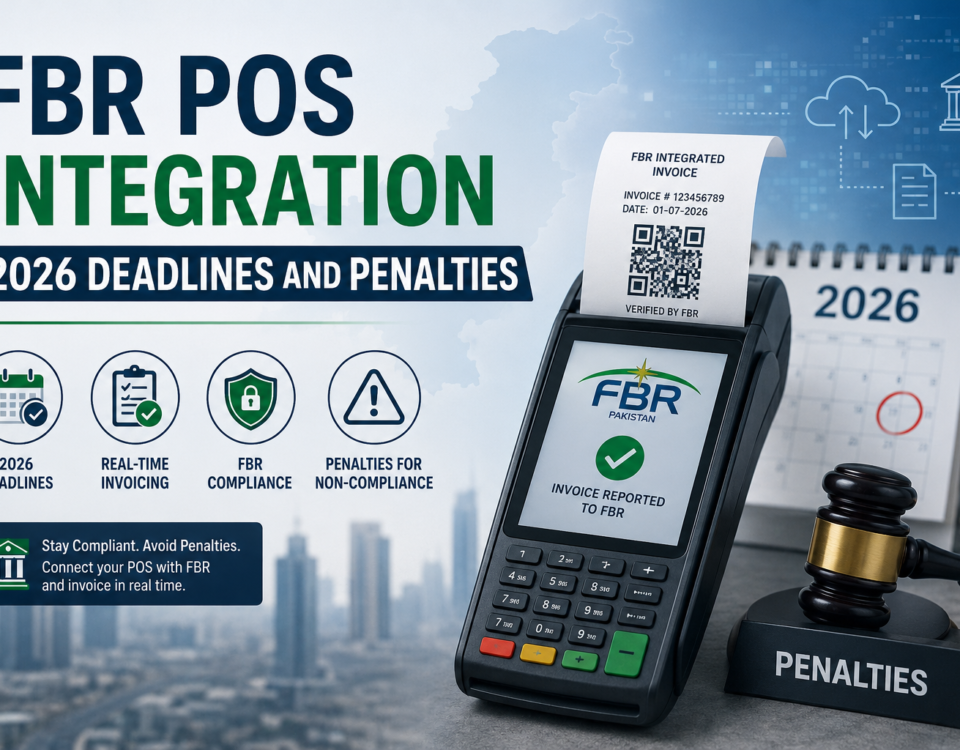
FBR has been tightening enforcement timelines, and online sellers are increasingly included in the same compliance windows as physical retailers. Missing a deadline does not just mean a warning; it can mean penalties tied directly to unreported sales volume, calculated retroactively in some cases. Reviewing the current 2026 POS Integration deadlines and penalties is worth doing before assuming an online store is exempt simply because it operates digitally already.
Sellers who assume their existing payment gateway or shopping cart plugin already satisfies FBR’s requirements are often mistaken. Payment processing and tax invoice reporting are two separate systems, and one does not automatically fulfill the other, even when both appear to generate a receipt at checkout.
Common Mistakes E-Commerce Sellers Make During Integration
Several patterns show up repeatedly among online sellers trying to become compliant:
- Assuming a payment gateway automatically generates FBR-compliant invoices
- Delaying integration until a deadline is already close, leading to rushed setup
- Using invoicing tools designed for physical retail that do not map cleanly to online order flows
- Overlooking bulk order exports, which still need to be reported individually
- Treating integration as a one-time task instead of an ongoing reporting habit
Sellers moving away from manual billing systems toward a structured, POS-linked setup tend to avoid most of these issues, since reporting becomes automatic rather than something bolted on after the fact. A practical switching guide walks through what changes during that transition and what stays the same.
What Sellers Should Prepare Before Integration
Before starting the integration process, it helps to have a clear picture of current order volume, the platforms being used, and whether the business already holds an NTN or sales tax registration. Sellers who gather this information upfront generally move through integration faster, since most delays come from incomplete business documentation rather than technical issues on the platform side.
It also helps to separate online and offline sales channels clearly if a business operates both, since FBR reporting expects consistent invoice numbering across all channels rather than two disconnected systems running in parallel. Sellers who skip this step often end up reconciling mismatched invoice numbers later, which is far more time-consuming than setting up numbering correctly from the start.
Choosing a Setup That Fits How You Actually Sell
Not every online seller needs the same level of integration. A seller running a single WooCommerce store has very different requirements from one managing three marketplace accounts and a physical pickup counter. Matching the integration to actual order volume and channel mix, rather than adopting the most feature-heavy option available, tends to produce a setup that stays compliant without adding unnecessary complexity to daily operations.
For sellers looking for a POS platform built with these compliance requirements in mind, myPOS offers integration support designed around Pakistan’s retail and e-commerce tax rules, helping online sellers connect their existing storefronts without overhauling how they already sell.
Getting FBR digital invoicing right is less about choosing the most advanced software and more about matching the setup to how a business actually operates online. Sellers who treat this as a one-time technical fix often find themselves adjusting again within months, while those who plan around their actual order volume, platform, and reporting habits tend to stay compliant with far less ongoing effort.
Frequently Asked Questions
Is FBR digital invoicing mandatory for small online sellers too?
It depends on registration status and revenue thresholds, not just business size, so smaller sellers should still confirm their obligation directly.
Do marketplace sellers on Daraz need separate FBR integration?
Yes, marketplace sales are generally treated the same as independent store sales for invoicing purposes.
Can WooCommerce stores be integrated without changing the storefront design?
Yes, integration typically works in the background and does not require rebuilding the existing store.
What happens if an online seller misses the FBR invoicing deadline?
Penalties are usually tied to unreported sales volume and can increase the longer the gap continues.
Does a payment gateway already make an online store FBR-compliant?
No, payment processing and FBR invoice reporting are separate systems that need to be connected individually.